
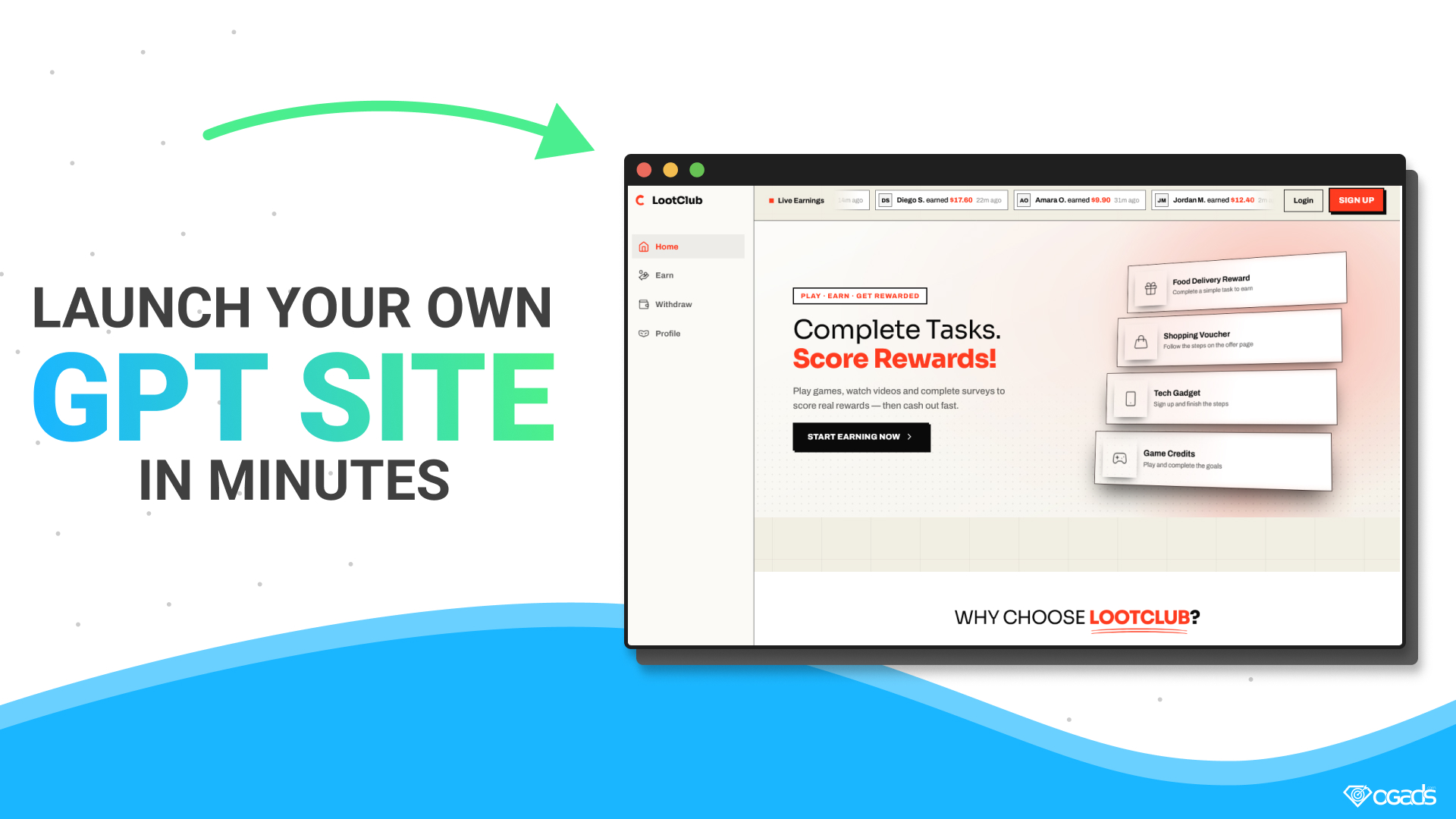
GPT Builder lets any OGAds publisher launch a fully working Get Paid To (GPT) site in minutes, with no code and no hosting to manage.
For years, running your own rewards site meant hiring a developer, wiring up an offerwall, building a user system, and tracking every completion yourself. Most publishers never got past the planning stage. GPT Builder removes all of that. You pick a theme, name your site, connect a domain, and you have a branded rewards platform that pays out through OGAds offers.
This guide covers what a GPT site is, the three themes you can choose from, how to build and launch your first site, and the extra setup that makes it look and feel like a real brand: a custom domain, email from your own address, and custom styling.
A GPT site rewards users for completing simple tasks: installing and playing mobile games, trying apps, answering surveys, or signing up for services. Users earn points or cash on your site, then withdraw once they reach a payout threshold.
You earn from the other side of that transaction. Every task on your site is an OGAds offer. When a user completes one, the advertiser pays you, and you share part of that payout with the user as their reward. The gap between what you earn and what you pay out is your margin.
This model has a few big advantages over a traditional content locker:
GPT Builder handles the hard parts behind the scenes: the offer feed, user accounts, reward tracking, and conversion verification through OGAds postbacks. You focus on bringing traffic.
Every GPT site starts from one of three professionally designed themes. Each one is mobile-friendly and ready to launch as-is, and all three can be fully restyled with custom CSS (more on that below).
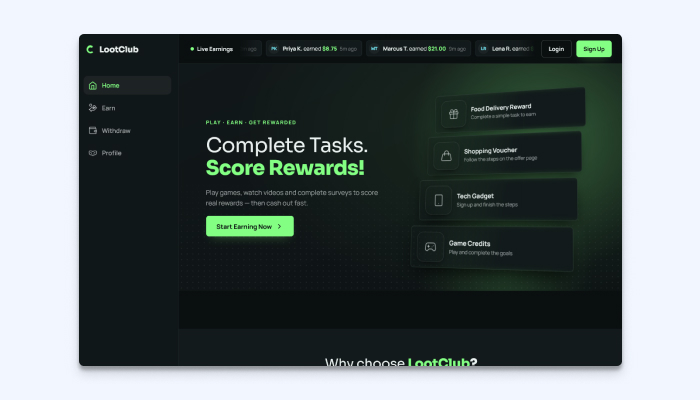
Theme 1: Dark with a green accent. A sidebar layout with Home, Earn, Withdraw, and Profile pages, plus a live earnings ticker across the top that shows recent user payouts. Great for a gaming or "hustle" audience that likes a sleek, app-style look.
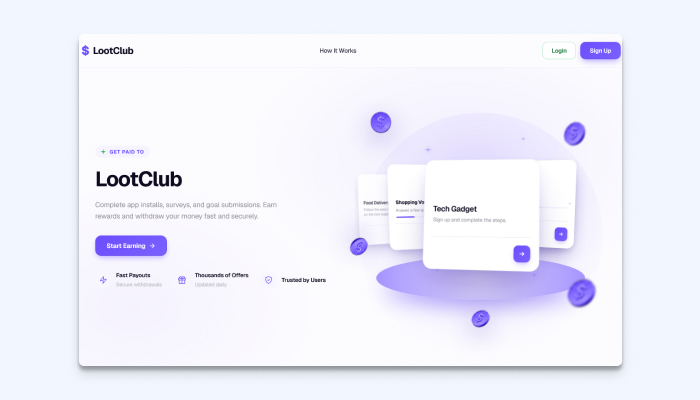
Theme 2: Light with a violet accent. A clean, bright landing page with a simple "Get started in 3 simple steps" section and trust badges for fast payouts, daily offers, and user trust. Ideal if your audience skews broader or you want a friendly, approachable brand.
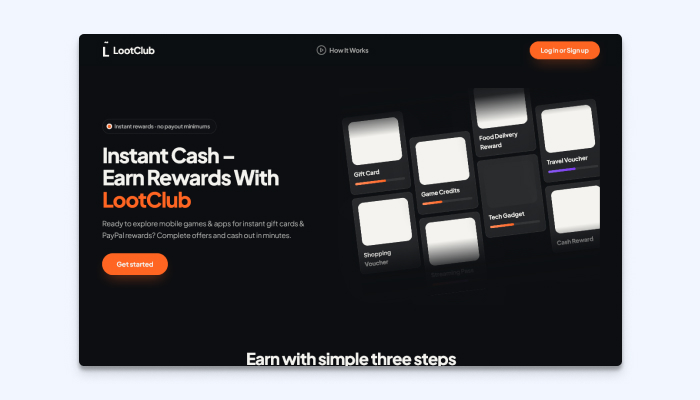
Theme 3: Dark with an orange accent. A bold, high-contrast design built around instant rewards, with a grid of reward categories like gift cards, game credits, and shopping vouchers. Perfect for an energetic, conversion-focused landing page.
Pick the theme that best matches your audience and traffic source. Colors, fonts, and layout details can all be changed later with custom CSS, so don't overthink the first choice.
You can go from zero to a live site in a single sitting. Here's the flow:
Want to watch the whole process step by step? The free GPT Builder course on Learn OGAds walks through every screen.
Your GPT site needs its own domain, and that domain is added through the Custom Domains tool in your OGAds dashboard. A custom domain makes your site look like a real brand, builds trust with users, and keeps your traffic tied to an address you control.
Important: custom domains require Cloudflare. Your domain's DNS needs to be managed through Cloudflare for the setup to work. If your domain is registered somewhere else, like Namecheap or GoDaddy, you can keep it there and simply point its nameservers to Cloudflare. A free Cloudflare account is enough.
We have two guides that walk you through the full setup:
Once your domain is created and active in the Custom Domains tool, go back to the GPT Sites tool, open the site you created, and assign the domain to it. The order matters: create the GPT site first, set up the domain, then assign it.
Tip: DNS changes can take a little while to take effect. If your domain doesn't show as active right away, give it some time before troubleshooting.
A GPT site sends emails to users for things like account sign-ups and verification. Those emails should come from your own domain (for example, support@yourbrand.com), not a generic address. It looks more professional, and it keeps your messages out of spam folders.
The easiest way to do this is with an email sending service like Resend. Resend is built for developers and makes sending email from your domain simple:
That's it. Your users now get branded emails from an address that matches your site.
The three themes look great out of the box, but you don't have to stop there. Every GPT site includes a custom CSS field, so you can change colors, fonts, buttons, spacing, card styles, and more to match your brand.
Not a designer or developer? You don't need to be. You can use Claude, Anthropic's AI assistant, to write the CSS for you. Describe what you want in plain English, like "make the accent color teal, round the buttons more, and use a bolder heading font," and Claude generates the code. Paste it into the custom CSS field, save, and check your site.
To make this even easier, the GPT Builder course includes a ready-made prompt for customizing your site with Claude. It gives Claude the context it needs about your theme, so the CSS it writes works on the first try more often.
You can also grab the prompt directly from this GitHub gist. Open your GPT site in your browser, paste the prompt into Claude using the Claude browser extension, and let it work on your site's styling.
A few ideas to try:
GPT Builder turns what used to be a months-long development project into something you can launch this afternoon. Pick a theme, connect your domain, set up your email, and start sending traffic to a rewards platform that's fully yours.
Not an OGAds publisher yet? Sign up at OGAds and launch your first GPT site today.